Every photo you take carries GPS coordinates accurate to about 11 meters, a timestamp down to the second, and your camera model, all baked into the file before you ever tap share. A camera app that can reach the internet can move that file off your phone the moment the shutter closes, with no dialog asking permission again.
What an INTERNET Permission Actually Grants
On Android, android.permission.INTERNET is classified as a "normal" permission, not a "dangerous" one. Normal permissions are granted automatically at install time and never trigger a runtime prompt, so you never see a popup asking whether a camera app can talk to a server. The permission shows up once, buried in the Play Store's technical listing or in a manifest dump, and then it is simply active for the life of the install. Once granted, the app can open a socket to any address at any time: there is no per-request confirmation, no "allow once" option, and no indicator in the notification shade telling you data left the device.
This is why a lot of filter apps that look like simple camera tools are, underneath, thin clients for a server-side model. The "AI film look" or "vintage grain" button you tap sends the frame to a remote endpoint, a model on that server applies the effect, and the processed JPEG comes back down to your phone. The whole round trip needs that one INTERNET line in the manifest, and it is the same permission line used by ad SDKs, crash reporters, and analytics libraries that ship by default in most mobile app templates. A developer does not even have to intend cloud processing to end up requesting it: bundling a single ad network or a crash-reporting kit pulls the permission in automatically, and from that point on the capability exists whether or not the visible feature set uses it.
RfCamera declares zero entries for INTERNET in its manifest. That is a build-time decision, not a runtime toggle a user can flip, which means the capability to phone home does not exist in the compiled app at all rather than being present but supposedly unused.
The Metadata Hiding Inside a Single JPEG
A standard JPEG file encapsulates detailed telemetry alongside image pixels: EXIF headers carry GPS latitude and longitude, altitude, the exact capture timestamp, the phone model, the software version that processed the image, and sometimes a device orientation vector from the accelerometer. GPS precision from a phone's combined GPS/Wi-Fi positioning typically lands within 5 to 15 meters outdoors, which is precise enough to identify a specific house, not just a neighborhood. If location tagging is enabled at the OS level for the camera app, every photo you take at home, at your kid's school, or at a friend's apartment carries those coordinates embedded in the file itself, independent of whatever caption or context you add later.
Cloud-based filter services see this data before they see anything else. To apply a server-side effect, the server needs the original frame, EXIF and all, transmitted over the network. Some services claim to strip metadata from the file they return to you, and that claim might even be true for the output file, but it says nothing about what happens to the original upload on their infrastructure. The copy that hit their servers, timestamp, GPS tag, and source IP address attached, exists in their logs and storage under retention policies you cannot see and did not agree to in any meaningful way, since most people never read the privacy policy of a photo filter app.
An offline pipeline removes this exposure structurally rather than through a policy promise. If a photo never leaves the device, there is no upload log to retain, no server-side copy to breach, and no third party with visibility into where you were standing when you pressed the shutter. RfCamera's manifest makes that a technical fact rather than a written assurance you have to trust.
Running the Same Pipeline Live and at Full Resolution, Entirely On Device
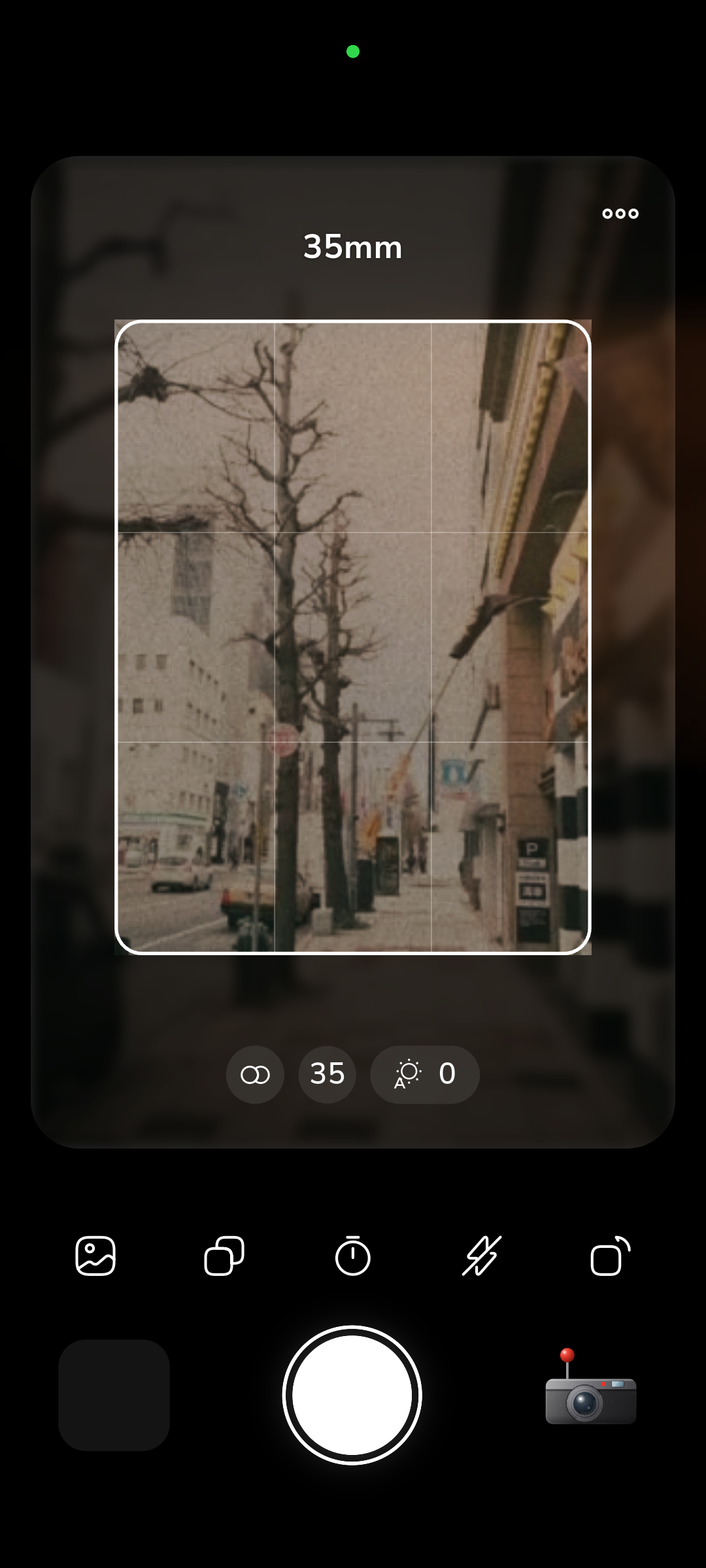
RfCamera uses one FilmEffect pipeline for two different jobs: driving the live viewfinder preview and producing the saved JPEG. In the viewfinder (widgets/film_view.dart), each camera frame goes through a colour matrix transform for the stock's tonal response, then a GLSL fragment shader (shaders/film.frag) applies barrel distortion and chromatic aberration to match the simulated lens's optical character, all running on the phone's GPU at preview frame rate. On top of that, grain, light leak, dust, scanline, vignette, and date-stamp overlays composite in, built from real scanned film plates rather than a procedural noise generator, so the texture you see live is the same texture family used in the final image.
When you press the shutter, core/bake.dart replays that identical pipeline at full sensor resolution inside a Dart compute() isolate. A compute isolate is a separate memory space spawned by the Dart runtime specifically for CPU-heavy work: it does not share mutable state with the UI isolate, which means the multi-megapixel colour matrix math, shader-equivalent distortion pass, and overlay compositing can run without freezing the interface you are looking at. The isolate needs no network socket to do any of this. Every operation, matrix multiplication, texture sampling for the film-grain plate, alpha blending for the light leak, happens against data already resident on the device: the sensor frame buffer and the bundled scan assets.
Compare that to a cloud round trip: encode the frame, upload it, wait for server-side inference, download the result, decode it. Even on a fast connection that is hundreds of milliseconds to seconds of latency and a full copy of your photo transmitted to infrastructure you don't control. The on-device GPU shader path finishes in the time it takes to render a single frame, because it never has to leave the chip.
How to Check an App's Claims Instead of Trusting the Marketing Copy
You don't have to take a privacy claim like this at face value, and you shouldn't for any app. On Android, normal permissions like INTERNET don't appear in the Settings > Apps > [app name] > Permissions screen, because that screen only lists dangerous, runtime-granted permissions such as camera or location access. To see the full permission list an APK declares, you need the Play Store's own "Data safety" section on the app listing, which discloses what data types are collected and whether they're shared with third parties, or a manifest dump via a tool like aapt dump permissions against the installed package if you have Android's platform tools set up.
On iOS, the App Store's "App Privacy" section is the equivalent disclosure: Apple requires developers to self-report data collection categories, and an app with no analytics, no account system, and no server calls should show "Data Not Collected" across the board. That's a stronger, more falsifiable claim than marketing text, because a false declaration risks App Store rejection or removal.
The most direct verification doesn't rely on any store listing at all: watch the network traffic yourself. A local DNS-based blocker like Pi-hole, or a per-app firewall such as NextDNS or a phone's built-in network usage monitor, will show you outbound connection attempts in real time. Install the app, take several photos, apply every filter and effect it offers, and check the traffic log. An app that is genuinely offline produces zero outbound requests during that entire session, not "reduced" traffic, not requests to a CDN for "app health," literally nothing. That absence of any log entry is a harder claim to fake than a paragraph on a landing page, because it's your own router or your own phone reporting what happened, not the app vendor.
Where Your Photos Actually Live Without a Cloud Account
Removing the network dependency changes where files live, not just how they're processed. RfCamera stores captured JPEGs in the app's own documents directory, a sandboxed location the operating system assigns per-app on both Android and iOS. Because that directory is private to the app by default, RfCamera does not need to request broad storage permission just to save a photo: it writes to space the OS already isolates for it, the same mechanism scoped storage on Android and app sandboxing on iOS use to stop one app from freely reading another app's files. You end up with photos that exist in exactly one place: your phone, inside that one app's private folder, until you explicitly choose to export or share a specific image.
That also means there's no account to create, no login screen, and no server-side user ID tying a photo history to an identity you registered with an email address. A cloud photo service, by contrast, generally needs an account specifically so it knows which user's storage bucket to write your upload into, which means your photo history is associated with a login credential from the moment you sign up, independent of whether you ever explicitly consent to "sharing" beyond the app itself.
The tradeoff is real and worth naming plainly: an offline, accountless app has no built-in backup, and if you lose the device without a separate backup step, the photos are gone. That is the cost of not routing your images through a third party's servers. It is a deliberate choice about where the risk sits, on your own device and your own backup discipline, rather than distributed to a company's infrastructure and whatever access control and retention policy that company happens to run this year.