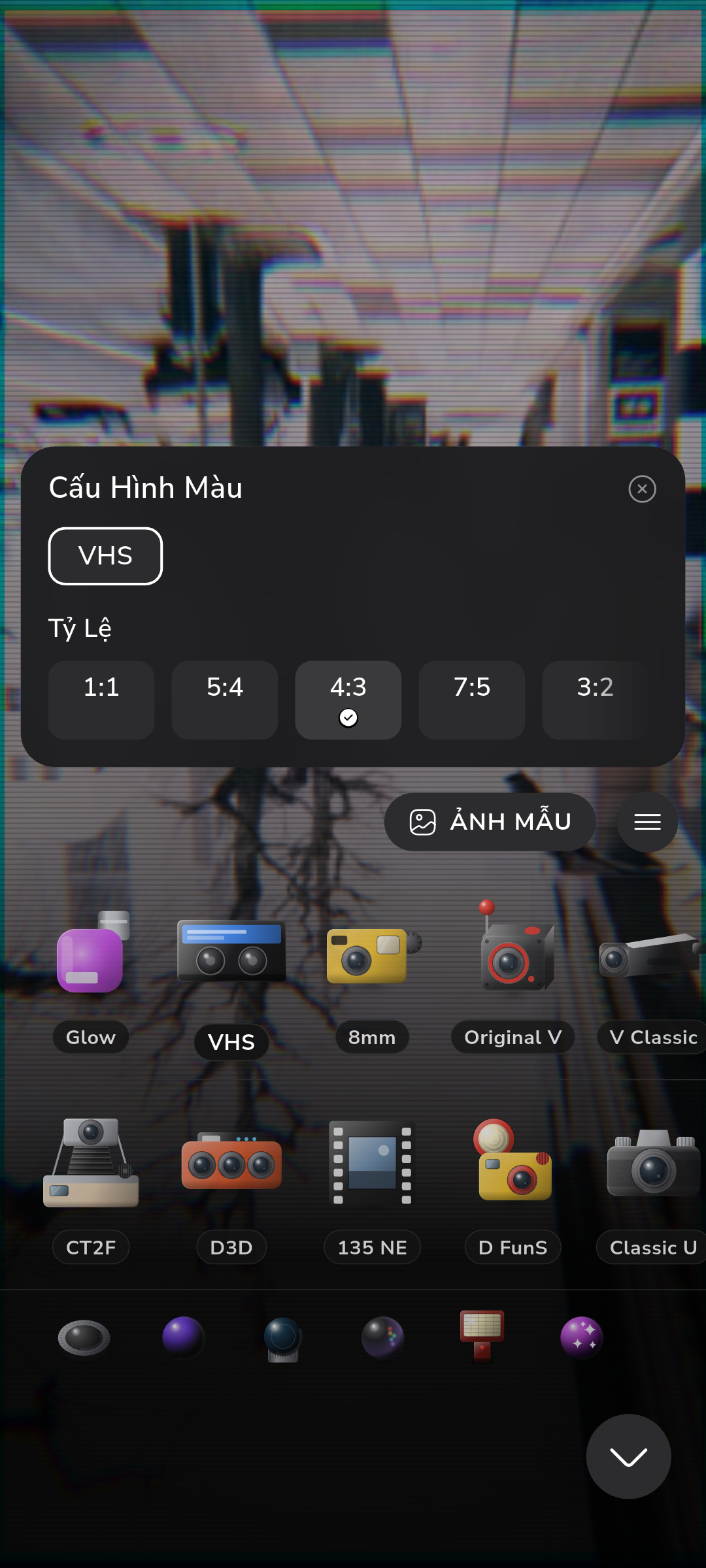
Most film camera apps shoot a normal digital photo, then drag a colored filter over it afterward, which is why the preview never quite matches the exported photo. RfCamera runs the opposite order: a GLSL fragment shader distorts, aberrates, and grains every frame of the live viewfinder, then replays that exact math to bake the saved JPEG.
The Filter-After-the-Fact Problem
Open a typical "vintage" camera app and you're looking at the phone's stock camera pipeline: the sensor produces a normal digital exposure, auto white balance and tone mapping run through the platform's ISP, and only after that raw-looking frame is captured does a color lookup table (LUT) get laid on top, either live as a cheap preview overlay or, more often, only after you tap the shutter. That ordering creates a mismatch. What you frame and what you get are two different rendering passes, so the grain, halation, and color shift you saw while composing are approximations at best, and at worst appear only in the final export, meaning you're guessing at contrast and color while you shoot.
RfCamera's FilmEffect pipeline doesn't work that way. The same GLSL fragment shader that distorts and grains the live viewfinder feed in widgets/film_view.dart is the shader that produces the saved photo — there's no separate "preview LUT" and "export LUT." Every frame drawn to the screen while you're framing a shot has already gone through the colour matrix, the optical distortion pass, and the grain/leak/dust compositing, at up to 60 frames per second. That matters most in edge cases: a backlit window where chromatic aberration fringes the highlights, or a dark hallway where grain clumps visibly in the shadows. On a filter-after-the-fact app you find out how that looked only once the photo is on your camera roll. On RfCamera you saw it, live, through the finder, before you pressed anything.
Colour Matrix Before Optics
The FilmEffect pipeline's first step, before any lens simulation touches the frame, is a colour matrix transform. Each pixel's RGB value is multiplied against a matrix tuned to a specific emulsion's dye response — how a stock like Kodak Gold renders warm midtones and crushed blacks, or how a black-and-white stock compresses color into a narrow tonal band before the grain pass ever runs. This is a per-pixel operation executed inside the fragment shader itself, not a translucent PNG overlay laid on top of the image in a compositing step. The distinction is mechanical: a color overlay dims and tints whatever is underneath uniformly, while a matrix transform in the shader changes the actual channel math per pixel, so a saturated red patch and a pale skin tone shift by different amounts, the way a real film emulsion's dye layers respond differently to different light.
Running the colour transform before the optical distortion and chromatic aberration stages also matters for how errors propagate through the pipeline. Barrel distortion bends geometry outward from the center of frame; chromatic aberration nudges red, green, and blue samples apart radially. If tone and color were applied after those geometric passes, edge pixels would carry distortion artifacts into the color grade unevenly. Doing color first means the "film stock" character sits underneath the optics, in the same order a real camera stack works: light passes through colored dye layers in the emulsion, then through the lens's imperfect glass, not the reverse. It's a small ordering decision in shaders/film.frag, but it's the reason the RfCamera look holds together at frame edges instead of falling apart into mismatched color fringes.
shaders/film.frag: Barrel Distortion and Chromatic Aberration
After the colour matrix, shaders/film.frag runs two optical simulations per pixel, both driven by distance from the frame's center. Barrel distortion remaps each pixel's screen coordinate through a radial function: pixels near the center stay roughly in place, while pixels toward the edges get pushed outward, curving straight lines near the frame border the way an uncorrected wide-angle lens would. The shader computes this as a function of normalized distance from the optical center, then samples the source image at the displaced coordinate — a per-pixel texture lookup, not a whole-image warp applied once.
Chromatic aberration works on the same radial logic but splits it across color channels. Instead of sampling red, green, and blue from the same source coordinate, the shader offsets each channel's sample point by a slightly different amount along the radius, larger near the edges of frame and negligible near the center. That's the same mechanism that produces color fringing in a real lens with imperfect achromatic correction: blue and red wavelengths focus at slightly different points, so a bright edge — a window frame against a sky, a streetlight against dark asphalt — shows a thin red or cyan fringe.
Both effects run as fragment shader operations on the GPU, meaning every one of the roughly 2 million pixels in a preview frame gets this per-pixel math computed in parallel, redone from scratch 60 times a second while widgets/film_view.dart is live on screen. That's what makes it viable to run continuously during framing instead of as a one-time export filter: the GPU's parallel architecture handles the same small function evaluated millions of times per frame far faster than a CPU loop ever could, so distortion and aberration cost is close to free once the shader is compiled and bound.
Grain, Leaks, and Dust Are Scanned Film, Not Procedural Noise
Most digital "film grain" is generated math: a Perlin or simplex noise function evaluated per pixel, sometimes layered at a couple of octaves to fake variation, then blended over the image at some opacity. It looks like static because that's what it is — noise with no relationship to how silver halide crystals actually clump when light exposes them unevenly across a frame.
RfCamera's grain, light leak, and dust plates are scans of real film: frames of actual exposed and processed stock, digitized at high resolution and stored as compositing layers rather than generated at runtime. When the FilmEffect pipeline composites grain onto a frame, it's blending in the irregular, non-uniform clumping pattern that a physical negative actually has — brighter grain structure in some regions, tighter in others, asymmetric dust specks and hair fibers exactly where they landed on that physical piece of film during scanning, not evenly distributed the way a noise function would place them. Light leaks work the same way: rather than a gradient fill simulating a leaky camera back, the plate is a scan of an actual leak, with the soft, organic falloff a real light source burning into an emulsion edge produces.
On top of the grain/leak/dust composite, the pipeline layers scanlines, vignette falloff, and — for cameras where it's part of the character — a date-stamp overlay, each applied as its own pass so intensity can be tuned per camera profile without re-baking the base plates. The result holds up under close inspection in a way procedural noise doesn't: zoom into a shadow area and the grain has the same irregular, non-repeating texture a scanned negative has, because it is one.
core/bake.dart: One Pipeline, Two Outputs
The hardest part of building a "what you see is what you get" film camera isn't the shader — it's making sure the photo you save goes through the identical math as the frame you were just looking at. RfCamera solves this by not having two rendering paths at all. When you press the shutter, core/bake.dart takes the full-resolution sensor capture and replays the same FilmEffect pipeline that was drawing the live preview: the same colour matrix, the same barrel distortion and chromatic aberration coefficients from shaders/film.frag, the same grain/leak/dust plate compositing, the same vignette and scanline passes, applied in the same order.
That replay happens inside a Dart compute() isolate — a separate execution thread spawned specifically for the bake, so the multi-megapixel image processing doesn't block the UI thread and freeze the interface while the app writes the file. The live viewfinder runs the pipeline on the GPU via the fragment shader at preview resolution for real-time framing; the bake step runs the equivalent transform at full sensor resolution in the isolate, then encodes the result to JPEG. Using one pipeline definition for both means there's no second implementation to drift out of sync — no separate "export renderer" that some other camera app might use to cut corners on a full-resolution grain composite for speed. What changes between preview and final photo is resolution and where the computation runs, not the math itself. That's why the framing you composed through the finder — the exact grain density, the exact amount of edge fringing — is what lands in your camera roll.
No Server, No Upload: What Runs Entirely on the Phone
None of this pipeline touches a network connection. RfCamera declares no INTERNET permission in its app manifest, which means the operating system itself blocks the app from opening any outbound connection — not a settings toggle you have to remember to disable, but a permission the app was never granted at install time. There's no account to create, no login screen, and no server-side processing step where a photo gets uploaded, run through a cloud model, and downloaded back with a filter applied; the entire colour matrix, optical shader, and grain compositing chain described above runs on the phone's own GPU and CPU.
That has a direct consequence for where your photos live: baked JPEGs are written straight to the app's own documents directory on the device, not to a remote bucket, and the app doesn't request broad storage permissions to reach into your phone's general photo library because it doesn't need to — it only manages the folder it created for itself. This isn't a privacy feature bolted on top of an otherwise networked app; it's a consequence of how the rendering is built. A GPU fragment shader and a compute() isolate are both local execution primitives — there was never a design point where a network call would fit into the pipeline. The tradeoff is one most other "AI-enhanced" film apps don't make: no cloud model means no waiting on a round trip, no per-photo processing cost, and no photo ever leaving the device it was taken on.