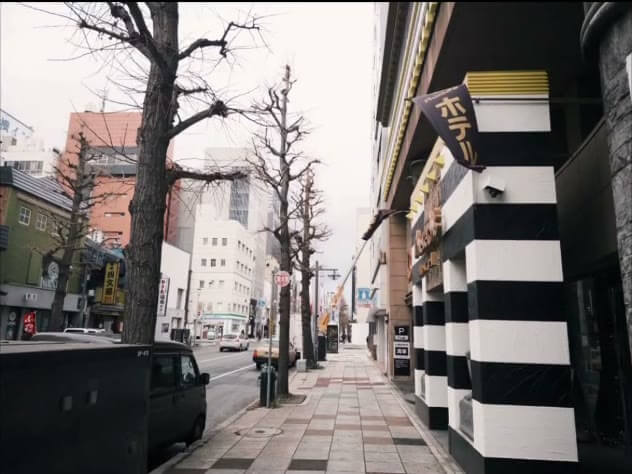
FXN emulates a specific slice of 1980s camera history: pocketable 35mm rangefinders with fast four-to-six-element lenses and leaf shutters built into the lens barrel. That construction is why the profile renders warm shadow tones, clean flash sync, and a quiet single-click shutter sound instead of the harsher signature of an SLR.
What FXN Emulates: The 1980s Compact Rangefinder
The FXN profile targets a specific slice of camera history: the point-and-shoot rangefinders that camera makers sold alongside their SLRs through the 1980s, cameras like the Contax T2, the Yashica T4, and Olympus's XA series. These bodies paired a fast prime lens — usually a 35mm f/2.8 or f/3.5 Tessar-type design — with a coupled rangefinder focusing patch instead of a mirror box, which let manufacturers keep the body thin enough to fit in a jacket pocket. The optical formula in these lenses used only four to six elements, fewer than a typical zoom, so light traveled a shorter path with fewer air-to-glass surfaces. Fewer surfaces meant less internal reflection, which is why images from these cameras carry noticeably less contrast-robbing flare than consumer zoom compacts of the same era, even though they also lacked the exotic coatings SLR glass received.
The leaf shutter built into the lens itself, rather than a focal-plane shutter in the body, is the second defining trait FXN reproduces. A leaf shutter opens from the center of the aperture outward and closes the same way, so every part of the frame is exposed for the same continuous span of time — there is no rolling exposure gap like a focal-plane curtain creates at fast speeds. That symmetry produces cleaner flash sync at any shutter speed and a quieter, single-click mechanical sound instead of the two-stage clack of a mirror and curtain. FXN's simulated shutter behavior mirrors that continuous exposure logic in how the color matrix processes the frame: rather than emulating a rolling readout, the whole image is treated as if lit under one uniform, momentary exposure, which keeps color and tone consistent edge to edge on wide apertures where quick-reacting subjects might otherwise show partial-exposure artifacts on a curtain-shutter model.
The Color Science Behind FXN's Warm Cast
FXN's warm cast comes from a color matrix that lifts the red and green channels while pulling down blue in the shadow range specifically, not uniformly across the whole tonal curve. Highlights and midtones keep close to neutral white balance, but as luminance drops toward the shadows, the blue channel rolls off faster than red or green. The visual result is amber-tinted shadow detail sitting under whites that still read as clean — the same signature you get from consumer color negative stock formulated with warmer dye couplers, the film family that includes stocks like Kodak Gold 200 and Kodacolor VR. Those emulsions were built for snapshot photography under mixed daylight and shade, so their color chemistry was tuned to flatter skin under exactly the kind of open-shade, late-afternoon light a pocket rangefinder gets used in most often.
Skin tones benefit from this shadow-side warmth more than any other subject because visible skin shadow — under the jaw, in eye sockets, along the side of a nose — is where a neutral or cool-shifted profile makes skin look gray or waxy. Lifting red and green in exactly that tonal range keeps shadow-side skin looking like it is still receiving bounce light rather than falling into shade. Highlights on skin, meanwhile, stay close to true white point so specular reflections off foreheads or cheekbones do not pick up an orange cast that would read as sunburn rather than warmth. This selective, luminance-dependent shift is why FXN reads as warm in a photo of a person's face without turning a white shirt or a pale sky orange in the same frame — the correction only bites where shadow density triggers it.
Dialing In the FXN Look
Translating FXN's look into settings you can dial in before you shoot removes the guesswork of matching by eye. The white balance offset sits colder than typical daylight, at 3200K equivalent — a tungsten-leaning number that, run through FXN's warm color matrix, lands back at a natural warm-daylight result rather than pushing the whole frame orange. Layering an intentional cool white balance under a warm color matrix is exactly how period film stocks achieved subtlety: the correction and the base chemistry worked against each other slightly, so neither dominated the frame outright. Exposure push works the same way. FXN's baseline sensitivity behaves like ISO 200 stock rated one stop over, effectively ISO 400, which thins highlight latitude just enough to let clipped skies and window light bloom slightly rather than holding perfectly clean detail all the way to pure white.
Shutter sync stays locked to 1/500s across the whole aperture range because that is the physical ceiling a real leaf shutter reaches before the blades cannot open and close fast enough — FXN keeps that ceiling rather than letting you dial in faster speeds a leaf-shutter camera never had. Grain density sits at 22 percent, lighter than a pushed high-ISO stock but present enough to break up flat gradients like open sky or a plain wall, which is where digital-flat rendering looks obviously synthetic. None of these four numbers matter individually as much as how they interact: the cool white balance keeps the warm matrix from oversaturating, the one-stop push adds just enough highlight softness to feel photochemical, the shutter ceiling keeps a period-accurate exposure range, and the light grain keeps flat areas from reading as a color-graded digital photo instead of a scanned negative.
Shooting Portraits and Street Scenes with FXN
FXN rewards specific, repeatable light angles more than it rewards catching random available light. For portraits, position your subject so the sun or window sits at roughly 45 degrees behind and to one side of them — a true rim-light position, not straight backlight — so the warm channel lift catches the edge of hair and shoulders while the front of the face still holds enough exposure to read skin texture. Late afternoon, roughly ninety minutes before sunset, gives you a color temperature naturally close to what FXN's matrix assumes, so the shift stacks with real ambient warmth instead of fighting a blue-hour or midday-neutral base. Shooting into flatter, more direct backlight washes out the shadow-side warmth FXN is built around, since there is no shadow left on the face for the effect to act on.
For street work, the 35mm-equivalent framing built into FXN matters as much as the color science. At 35mm you are close enough to a subject that background compression stays low and environmental context — storefronts, other pedestrians, signage — stays legible in the frame, which matches how these cameras were actually used: close, fast, unobtrusive. Switch mentally to thinking in zone focus rather than precise rangefinder patch alignment for moving subjects; pre-set focus to roughly ten feet at f/8 and most street distances from four to twenty feet stay acceptably sharp, letting you raise the camera and shoot without hunting for focus confirmation. Keep exposure decisions simple: FXN's shadow-warming behavior means slightly underexposing a high-contrast scene, by about two-thirds of a stop, preserves more separation in bright storefronts and sky without needing to recover blown highlights afterward, since the color matrix already does warmth work in the shadows rather than needing highlight recovery to fake it.
How RfCamera Renders FXN in Real Time
FXN is not a static filter applied after the fact — it is one rendering pipeline that runs twice, once continuously and once permanently. While you are framing a shot, the live viewfinder in widgets/film_view.dart applies FXN's color matrix and pipes the frame through a GLSL fragment shader (shaders/film.frag) that handles the optical side of the look: barrel distortion to mimic the four-to-six-element lens formula, chromatic aberration at the frame edges, and the vignette falloff, all calculated per-pixel on the GPU so the viewfinder updates at full frame rate with no visible lag between moving the camera and seeing the FXN look update. Grain, light leak texture, dust, scanlines, and the date-stamp overlay are layered on top of that shader pass using real scanned film plates rather than procedural noise, so the texture you see live is the same texture, not a preview approximation of one.
When you press the shutter, RfCamera does not re-render the look with a lighter, faster version for speed — core/bake.dart replays that identical pipeline, color matrix, shader pass, and overlay layers included, inside a Dart isolate via compute(), which moves the work off the main UI thread so the app stays responsive while a full-resolution JPEG bakes. Because the isolate runs the same code path as the live preview, what you saw in the viewfinder is what gets written to the file, not a close approximation reprocessed by a different engine. The whole process happens on-device: RfCamera declares no INTERNET permission, so there is no upload step, no server-side rendering, and no account or network dependency between pressing the shutter and the finished FXN photo landing in the app's local documents directory.
The Leaf Shutter Sound and Why It's There
The audible click FXN plays on capture is modeled on the single-stage sound a real leaf shutter makes, distinct from the double-clack of a mirror slapping up and a focal-plane curtain firing that SLR shutter sounds copy. A leaf shutter's blades are small, spring-driven, and open-close in one continuous motion measured in milliseconds, producing a softer, rounder sound with none of the mechanical mirror-slap transient. That distinction matters for how FXN is meant to be used: rangefinders built around leaf shutters were marketed and used as quiet, unobtrusive cameras for candid work, and the sound cue reinforces that same shooting posture — a single quiet confirmation rather than a loud mechanical event that draws attention from a subject mid-frame.
Beyond mood, the sound serves a practical function shared with the real cameras it emulates: confirmation without needing to check a screen. On an actual leaf-shutter rangefinder, the shutter click is often the only feedback a photographer gets that the frame actually exposed, since there is no mirror blackout and no LCD review. FXN's sound plays at the moment the frame is committed, matching that same timing convention, so the acoustic and haptic habits built shooting street or candid portrait work carry over directly — you learn to trust the click the same way rangefinder shooters have for decades, rather than pulling the phone away from your eye to check a preview. That design choice is consistent with the rest of RfCamera's offline-first approach: everything needed to confirm a shot — the sound, the viewfinder shader preview, and the final bake — runs locally on the device with no network round-trip standing between the click and the photo.