Baking a 12-megapixel RfCamera photo means running a colour matrix, a GLSL optics shader, and five compositing passes over every pixel — work that takes close to a full second on most phones. RfCamera pushes that work into a Dart isolate through compute(), so the shutter button keeps animating and the sound effect keeps playing while a separate thread finishes the JPEG.
The Main Thread Can't Afford a 12-Megapixel Render
Flutter draws every frame of RfCamera's live viewfinder on the same UI thread that reads your taps, plays button sound effects, and animates the shutter button's press state. At 60 frames per second that thread has 16.67 milliseconds to build a frame, hand it to the GPU, and get back to listening for input before the next frame is due. A full-resolution photo bake — decoding a 12-megapixel sensor capture, running a colour matrix multiply across every pixel, compositing grain, dust, and light-leak plates, drawing a date stamp, applying vignette falloff — is not 16-millisecond work. Depending on the device it's closer to a full second of sustained pixel math, and running that on the same thread that owns the UI would freeze the interface solid the instant you pressed the shutter: no button animation, no film-advance sound cue, nothing but a locked screen until the JPEG finished encoding.
That's the actual problem RfCamera's isolate architecture solves, and it's worth being specific about why a naive fix doesn't work. You can't simply defer the heavy work with a microtask or a Future scheduled on the same event loop, because Dart's event loop is still single-threaded — an async gap yields between tasks, but a long synchronous pixel loop inside one of those tasks still blocks everything queued behind it, including the next animation frame callback. The only way to get real parallelism, where a second thread is doing pixel math while the first thread keeps drawing frames, is a second Dart execution context with its own thread. That's what an isolate is.
How a Dart Isolate Differs From a Shared-Memory Thread
Most languages answer background work with a thread that shares the same heap as the caller, protected by locks you have to remember to take. Dart isolates work differently: each isolate gets its own heap and its own single-threaded event loop, and nothing is shared by default. You can't accidentally read a half-written pixel buffer from the UI isolate while the worker isolate is still writing it, because the two isolates don't see the same memory at all — the only way data moves between them is by copying it across a message port, serialized out and deserialized back in.
That copy is the real cost of using an isolate, and it's why the architecture is worth it: for a 12-megapixel RGBA buffer, copying the raw bytes across the isolate boundary takes real time, but it's cheap next to the colour matrix, geometry pass, and layered compositing that follow it, so the round trip pays for itself. RfCamera uses Dart's compute() helper rather than manually managing an Isolate.spawn() and ReceivePort pair, because compute() already handles that lifecycle correctly: it spawns a fresh isolate, sends the input — the captured frame plus the chosen film preset's parameters — waits for the isolate to run the given function to completion, receives the result back over the port, and tears the isolate down afterward. The UI isolate stays responsive the entire time because it's never blocked synchronously — it's awaiting a Future that resolves when the message arrives, which lets the event loop keep servicing frame callbacks and touch events in the meantime.
One Pipeline, Two Call Sites
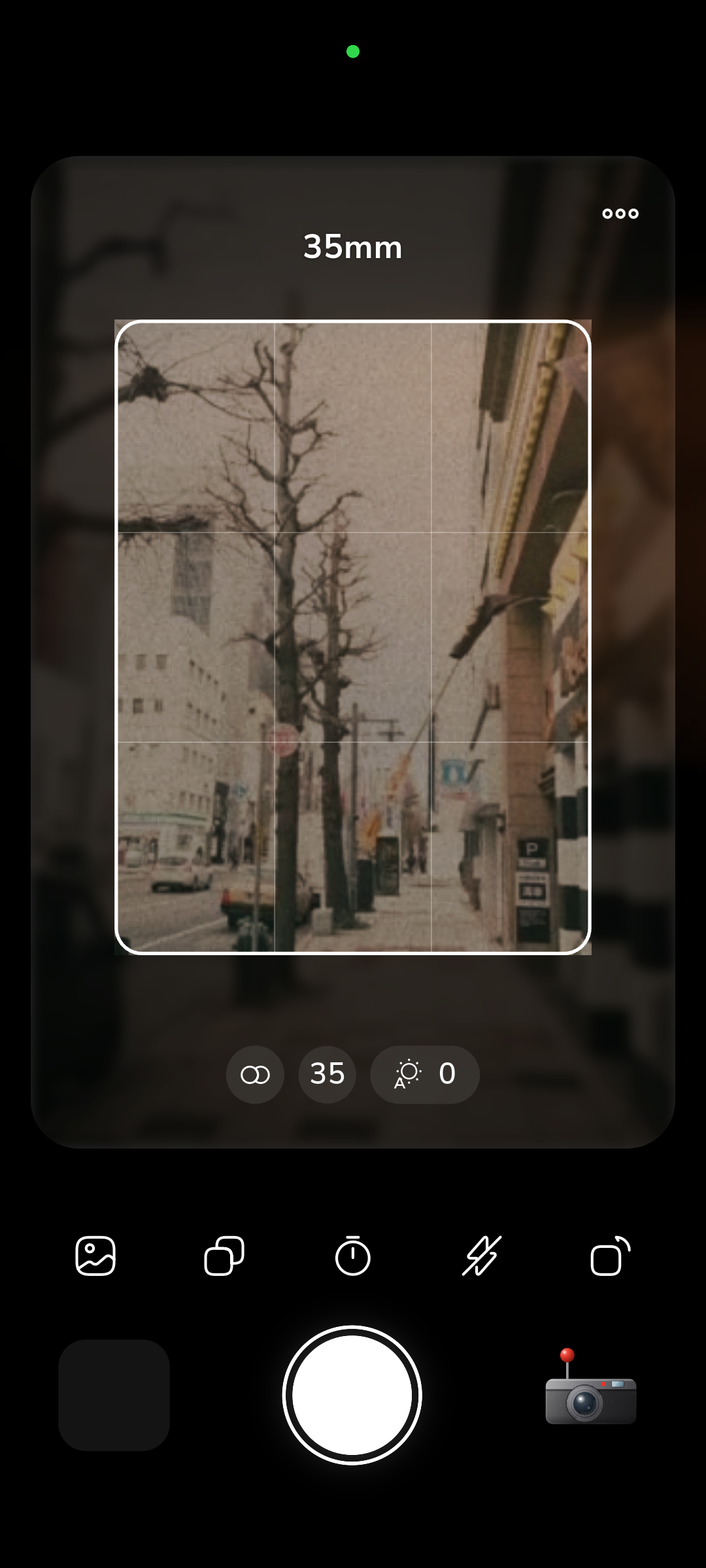
The reason RfCamera's photos never surprise you is that the live viewfinder and the final bake run the same effect pipeline rather than two approximations of each other. widgets/film_view.dart drives what you see while framing a shot: a colour matrix pass sets the film stock's base tonal curve and color bias, followed by a GLSL fragment shader (shaders/film.frag) that runs on the GPU for the optical parts of the look — barrel distortion, chromatic aberration, and other lens-shape effects naturally suited to per-pixel shader math, since the GPU can do that work in parallel across the whole frame on every render pass without touching the CPU.
core/bake.dart is the second call site for that same pipeline, triggered once, at full sensor resolution, when you press the shutter. It isn't a separate 'export quality' code path with its own tuning — it replays the identical sequence of transforms the viewfinder just showed you, at higher resolution and inside the compute() isolate described above rather than on the GPU shader pipeline, because the isolate handles the CPU-bound compositing stages (grain, dust, light leaks, scanlines, vignette, date stamp) that come after the optical shader pass. Keeping one pipeline definition that both call sites invoke, instead of maintaining a fast preview version and a separate high-fidelity export version, is what guarantees the JPEG that lands in your camera roll matches the frame you composed — the grain density, the leak position, and the distortion curve are computed by the same function with the same inputs, once at preview resolution on the GPU and once at capture resolution inside an isolate.
What Actually Runs Inside the Worker Isolate
Not every stage of the RfCamera pipeline belongs on the GPU. Barrel distortion and chromatic aberration are geometric, per-pixel-coordinate operations that a fragment shader handles natively — sample this pixel's neighborhood, offset the color channels, done, in parallel across the frame. Grain, dust, light leaks, scanlines, vignette, and the date-stamp overlay are compositing operations instead: blending a texture plate over the base image at a computed opacity and position, sometimes several plates stacked in sequence. That's exactly the kind of sequential, CPU-friendly raster work Dart handles well inside an isolate, without needing a second GPU context or the complexity of coordinating multiple shader passes with intermediate render targets.
The grain and light-leak plates aren't generated procedurally — they're scans of real exposed and processed film, dust actually lifted off real negatives, light leaks that actually happened on real camera bodies. The isolate's job is to pick the right plate for the selected film preset, position and scale it correctly for the current frame, and blend it using the correct compositing mode: additive for light leaks so bright regions still read through them, multiply or overlay for grain and dust so they sit into the tonal range rather than washing it out. Running that sequence — decode, apply the colour matrix already computed by the shader pass, then four or five compositing blends, then JPEG encode — inside compute() means the isolate owns the full 12-megapixel buffer for the entire duration of that work, and the UI isolate is completely uninvolved until the finished bytes come back.
Why the Stutter You'd Expect Doesn't Happen
Picture what shutter-press would feel like without this split. The moment you tap the shutter button, the same thread that needs to animate that tap's ripple effect, play the mechanical shutter sound, and advance the film-wind indicator would instead be locked inside a synchronous loop touching every one of 12 million pixels several times over. Flutter's renderer would have nothing to draw for however long that loop takes, so the frame stays frozen — no animation, no response to a second tap, nothing — until the loop finishes. That's the stutter this architecture exists to prevent, and the isolate boundary removes it structurally rather than by making the bake faster: the UI thread was never blocked in the first place, because it handed the frame off and kept running its own event loop while a separate OS thread did the pixel math.
This is also why the shutter button's press animation, the winder sound effect, and the thumbnail-adding-to-gallery animation all keep playing normally the instant you tap, even though the actual JPEG isn't finished yet — those are UI-isolate concerns that never depended on the bake completing. The bake resolves later, asynchronously, and the worker isolate posts the finished image bytes back across the port when it's done, at which point the UI isolate writes them to storage and updates the gallery grid. From your perspective the app never paused; from the runtime's perspective, two independent event loops were doing two independent jobs on two independent threads the entire time.
No Server in the Loop
None of this pipeline reaches the network, and that's a deliberate absence rather than an oversight. RfCamera's manifest declares no INTERNET permission at all, which means the operating system enforces the offline claim at the permission level, not just at the level of what the code happens to call. The colour matrices, the film.frag shader, and every grain, dust, and light-leak plate ship inside the app bundle, so the compute() isolate has everything it needs locally the moment you press the shutter — there's no request to a rendering server, no upload of your photo for cloud processing, and no dependency on connectivity to finish a bake. Shooting on a plane, in a basement, or anywhere without signal produces exactly the same result as shooting with full bars.
That local-only design extends to how the finished photo is stored. The baked JPEG is written to the app's own documents directory rather than requested through the system photo library with a broad storage permission, and there's no account system asking for an email address or a login before you can shoot. Nothing about the isolate architecture required this — you could imagine a version of RfCamera that shipped the heavy compositing work to a server and streamed back a processed image — but doing it on-device inside a worker isolate is what makes the offline, accountless, free design possible in the first place. The performance architecture and the privacy model are the same decision, not two separate features bolted together.