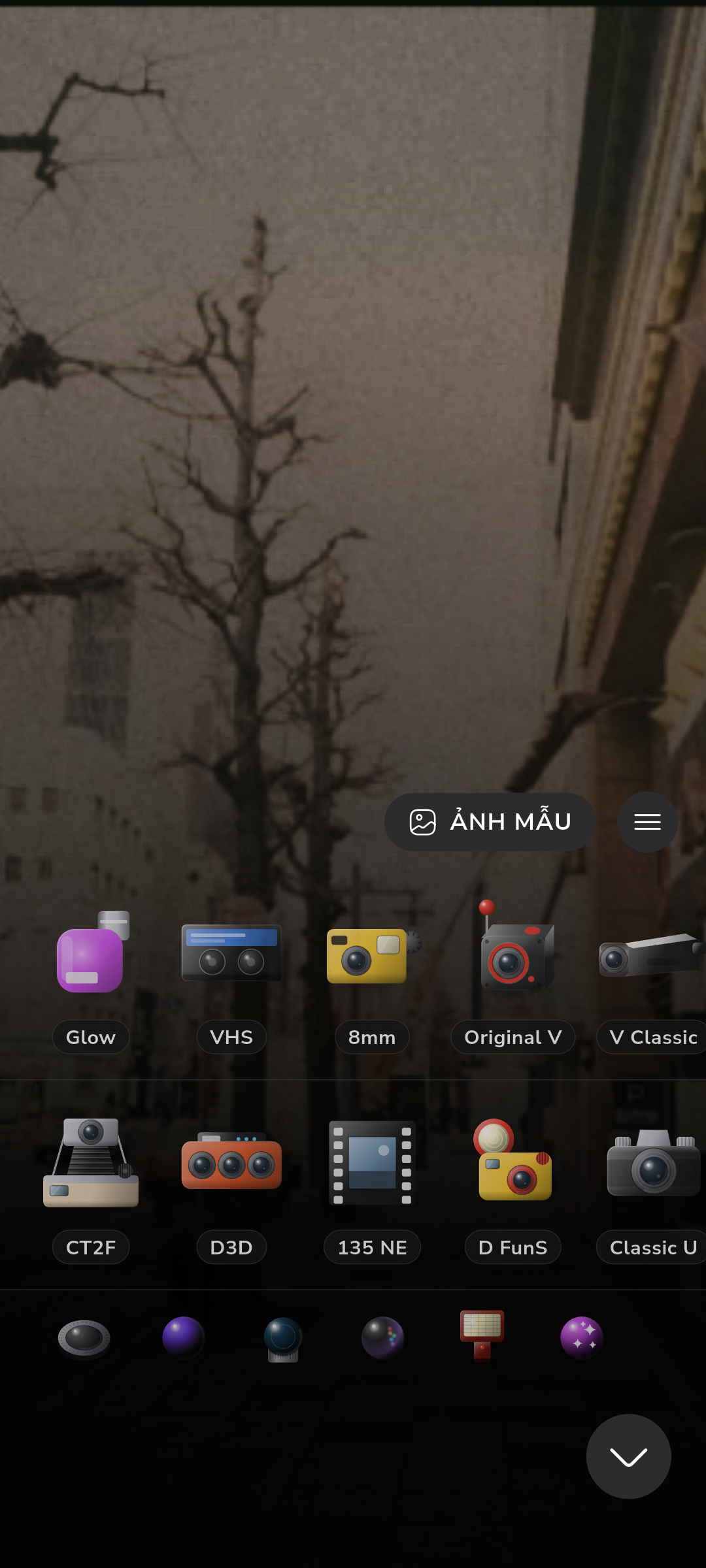
Dazz Cam and NOMO CAM now lock most of their camera bodies behind roughly $30-a-year subscriptions, and Huji Cam gives you exactly one look with ads attached. This guide compares what each app actually unlocks for free — not what the store listing implies — against RfCamera, an offline app with no account and all 12 camera bodies open from install.
The Subscription Trap in Film Simulation Apps
Dazz Cam and NOMO CAM both started as one-time purchases when film-simulation apps first caught on. Within a year or two, both switched to yearly subscriptions that unlock the bulk of their camera catalog. Dazz Cam ships with a handful of free bodies — usually two or three — while the other dozen-plus cameras, along with print templates and roll-counter overlays, sit behind a paywall that runs close to $30 a year. NOMO CAM follows a similar pattern: the base app installs free, but its "Pro" cameras, including popular half-frame and disposable-flash presets, need a subscription in the same range. Neither app discloses this clearly in the store listing; you find out after downloading, tapping into a camera body, and hitting a lock icon.
This matters because a film-simulation app's entire value is its catalog of camera bodies. A rangefinder emulation and a disposable-camera emulation produce genuinely different grain structure, vignette falloff, and color response — they are different rendering profiles, not skins on the same filter. Locking most of that catalog behind a subscription means the free download is closer to a demo than a working camera app. If you shoot occasionally and don't want a recurring charge tied to a photo app, the subscription model turns a five-minute creative decision — which body suits this scene — into a purchasing decision instead. That gap is exactly what free alternatives fill: apps that ship the full body catalog on day one, with no account and no recurring charge.
What "Free" Actually Means Across These Apps
Huji Cam is free with ads and gives you exactly one camera body — a fixed-focus disposable look with a timestamp burned into the corner. There's no body selection because there's nothing to select; you get the single aesthetic the app was built around, plus a banner or interstitial ad between sessions. That's a legitimate free tier, but it's a single-recipe app, not a camera-body library.
Dazz Cam and NOMO CAM are free to install but not free to use fully — the free tier mainly exists to get you into the paywall flow. You can shoot with the starter bodies, but every other camera, plus any batch-export or higher-resolution save option, sits behind the subscription. This is the freemium pattern common to mobile photo apps: the free version is a functional preview, not a complete product.
RfCamera takes a third approach: every one of its 12 camera bodies is unlocked from install, there's no ad tier because there's no ad SDK integrated at all, and there's no account-creation step gating any feature. There's no server-side subscription check to fail and no login wall to hit if you open the app while offline, because there's no server component in the loop to begin with. The distinction that actually matters isn't the word "free" in the store listing — it's whether the free tier gives you a full camera or a taste of one.
Inside RfCamera's Rendering Pipeline: Why All 12 Bodies Run Free
RfCamera can give away its entire camera catalog because the processing that makes each body look distinct never leaves the phone. The live viewfinder, built in widgets/film_view.dart, runs a colour-matrix transform stacked with a GLSL fragment shader (shaders/film.frag) that handles the optical side of the simulation — barrel distortion and chromatic aberration, the two artifacts that make a lens emulation read as a lens instead of a color filter. On top of that optical layer, the pipeline composites grain, light-leak, dust, scanline, vignette, and date-stamp overlays, all rendered in real time as you frame a shot, at whatever frame rate the device's GPU can sustain.
What matters for cost is what happens when you press the shutter. Instead of re-implementing the look in a separate export step — which is how filter apps sometimes end up with a preview that doesn't match the saved photo — RfCamera's core/bake.dart module replays the exact same FilmEffect pipeline used for the live preview, but inside a compute() isolate so the UI thread stays responsive while the JPEG gets built. One pipeline, two call sites: the GPU shader path for the viewfinder, the isolate-replayed version for the file you keep. Because the rendering cost is borne entirely by the user's own device, there's no per-shot or per-body server cost that a subscription would need to offset — the direct mechanical reason all 12 bodies ship unlocked instead of gated.
Feature Comparison: Free Film Camera Apps
The table below lines up the four apps most commonly searched for as Dazz Cam alternatives, based on what's actually enforced rather than marketing copy. "Offline processing" means the image renders without a network request in the loop — check this against your phone's permission list, not the store description, since a listing can say "offline mode" while still needing an account ping to unlock content. "Camera catalog unlocked" counts how many advertised bodies you can shoot with immediately after install, at zero cost.
| App | Ongoing Cost | Offline Processing | Camera Catalog Unlocked |
|---|---|---|---|
| RfCamera | Free, no subscription tier | Fully on-device, no INTERNET permission | 12 / 12 from install |
| Dazz Cam | ~$30/year for full catalog | Requires network for account/sync | 2–3 free, rest paywalled |
| NOMO CAM | ~$25/year for Pro cameras | Partial — sync features need network | Base set free, Pro tier paywalled |
| Huji Cam | Free with ads | Offline, but ad SDK phones home | 1 fixed body only |
Two things are worth checking yourself before committing to an app: the permission list (Settings > Apps > [app name] > Permissions on Android, or the App Store's "App Privacy" section on iOS) and whether the free-tier export resolution matches your device's native capture resolution or gets downsampled. An app that downsamples free exports to reduce server load will show visibly softer grain at full zoom than a renderer that works entirely from the sensor's full-resolution capture on-device.
Privacy and Permissions: Reading the Manifest
Every Android app declares its permissions in the manifest, and that list says more about how an app actually works than its marketing page does. RfCamera declares no INTERNET permission at all — not a toggle you can switch off in settings, but a permission the app never requests in the first place, meaning there's no code path in the app that could open a network socket even if it wanted to. That single manifest line is the practical difference between "we don't use your data" as a policy statement and "we structurally cannot transmit your data" as an engineering fact.
Apps that support cloud sync, account login, or subscription-license checks need the INTERNET permission by definition — a license check requires phoning a server to confirm your subscription is still active, which is why some subscription camera apps fall back to a free-tier look if you open them without a connection. That's a real usability cost of the subscription model beyond price: a camera body you paid for can become temporarily unavailable based on network state.
RfCamera also skips the account layer entirely — no sign-up screen, no email capture, no login token to expire. Photos save directly to the app's own documents directory on the device, which on modern Android and iOS doesn't require a separate storage permission grant because it's sandboxed app-private storage rather than shared external storage. The photo never has to leave the device for the app to function, and there's no account database that could be breached, sold, or subpoenaed, because it doesn't exist.
Choosing the Right App for Your Shooting Style
If you only ever want one aesthetic — the washed-out, timestamp-in-the-corner disposable-camera look — Huji Cam's single free body does that job with minimal fuss, and the ad interruption is a fair trade for a single-purpose tool you might open twice a week. It isn't trying to be a camera-body library, and judged as a one-look app rather than a multi-camera system, it holds up fine.
If you've already paid into Dazz Cam or NOMO CAM's subscription and you like their specific color science, switching apps for the sake of switching isn't worth relearning a new interface. The subscription buys a curated look from a team that tuned it, and if that look is what you want on your feed, the ongoing cost is a normal price for a creative tool you use often.
Where a free, fully-unlocked alternative actually changes your workflow is when you want to shoot the same scene across several distinct camera bodies to see which grain structure and color response fits best — a rangefinder look for a street scene, a half-frame look for a diptych, a flash-heavy compact look for a night shot — without hitting a paywall between each switch. That's the use case RfCamera's 12 unlocked bodies serve: treating camera-body choice as a creative decision made per shot, the same way you'd pick a lens or a film stock, rather than a purchasing decision made once and lived with.