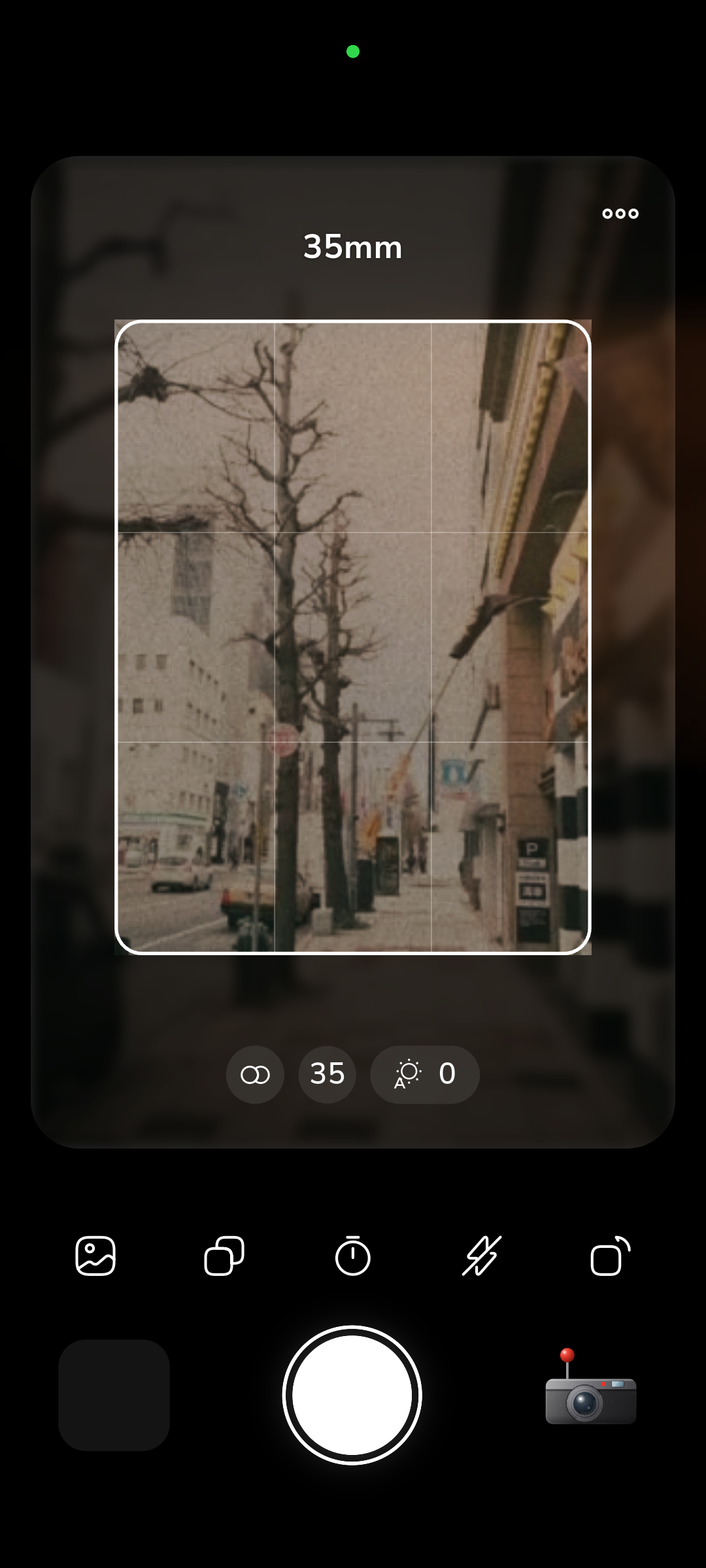
Every photograph captured on a smartphone contains personal metadata, from high-precision GPS coordinates to unique device identifiers and timestamps. Most consumer camera apps request network permissions to bundle analytics SDKs, ad trackers, and cloud synchronizers that transmit image data off-device without explicit user consent. By omitting the Android internet permission from its release manifest, RfCamera establishes a verifiable sandbox boundary where data exfiltration becomes impossible at the operating system kernel level.
Android Manifest Analysis: The Missing INTERNET Permission
Android organizes application permissions into distinct protection categories. Under this security model, the android.permission.INTERNET declaration is classified as a normal-tier permission. Because Android treats network connectivity as a baseline utility, the operating system grants it automatically during package installation without displaying a runtime consent dialog to the user. Mainstream camera apps take advantage of this automatic grant to integrate third-party analytics suites, crash loggers, and ad mediation networks. Each library silently merges its own manifest requirements into the final application manifest during Gradle compilation, giving external code unrestricted access to open network sockets.
RfCamera eliminates this vulnerability by omitting the internet permission declaration from its release manifest. In Android kernels, network socket creation is restricted by the kernel's paranoid network configuration (CONFIG_ANDROID_PARANOID_NETWORK), which maps permissions to specific Linux Group IDs such as AID_INET. When an application process without android.permission.INTERNET invokes standard POSIX socket calls—such as socket(AF_INET, SOCK_STREAM, 0) or high-level HTTP APIs like HttpURLConnection and Dart's HttpClient—the Linux kernel rejects the system call immediately. The kernel returns an EACCES (Permission denied) error before any packet can reach the network interface driver.
The restriction functions as an OS-level sandbox rule enforced by the Linux networking stack in the kernel, immune to application-level toggle bypasses. Even if a compromised dependency attempts to establish a raw TCP connection or resolve a DNS hostname, the operating system blocks the request based on the application's unique Linux User ID (UID). Security audits can verify this configuration directly on compiled production binaries using the Android SDK's apkanalyzer utility, confirming that the merged manifest contains zero internet access capabilities.
App-Specific Storage: Eliminating Shared Media Permissions
Photo storage on Android has historically exposed user data to broad filesystem scanning. Legacy Android versions relied on READ_EXTERNAL_STORAGE and WRITE_EXTERNAL_STORAGE, which granted apps unrestricted access to shared storage volumes, including the entire DCIM directory and downloads folders. Although modern Android releases introduced scoped storage and granular permissions like READ_MEDIA_IMAGES, granting media read access still permits an application to index existing photo libraries, harvest EXIF location histories from prior vacations, and build behavioral profiles from image timestamps.
RfCamera circumvents shared storage vulnerabilities by writing captured photos exclusively to its private app-specific documents directory. By calling getApplicationDocumentsDirectory() from the path_provider package, the app resolves its file operations to /data/user/0/xyz.roycorp.rfcam/app_flutter/. On Android, this directory is protected by Linux Discretionary Access Control (DAC) permissions and SELinux sandbox policies configured for the application's dedicated Linux UID. No other non-root application on the device can list, read, or modify files stored within this private path.
| Security Layer | Typical Cloud Camera App | RfCamera Zero-Permission Architecture |
|---|---|---|
android.permission.INTERNET |
Granted silently at install; powers analytics SDKs | Omitted from manifest; kernel blocks socket creation |
READ_MEDIA_IMAGES / Storage |
Requested at runtime; indexes entire camera roll | Not requested; operates in private app-specific sandbox |
| Background Sockets | Maintains telemetry loops to remote servers | Zero network threads; cannot resolve DNS or establish TCP |
| Gallery Export Mechanism | Direct write to shared public DCIM folder | Storage Access Framework (SAF) system picker only |
Because RfCamera restricts its image writes to its internal directory, it requires zero storage permissions at installation or runtime. The application requests only the physical CAMERA permission required to open the hardware sensor. When a user chooses to export a photo to their public gallery or send it to an external messaging app, RfCamera delegates the transfer to the Android Storage Access Framework via ACTION_CREATE_DOCUMENT or system share sheets. The operating system handles the file transaction across the inter-process communication boundary, ensuring that RfCamera never holds or requests global filesystem access.
Local Isolate Processing and Offline Image Baking
Many commercial photo editors and film simulation tools rely on cloud backends to perform complex image rendering, dynamic range compression, or neural-network-driven filter transformations. Sending high-resolution uncompressed image buffers to remote servers exposes raw visual data to interception, server-side caching, and unvetted machine learning training pipelines. RfCamera enforces a strictly local processing model where image processing executes entirely on the local device hardware using Dart isolates.
When the user actuates the shutter button, the Flutter UI thread captures the raw sensor frame from the camera controller and packages it alongside the active film profile parameters. Instead of processing the frame on the main thread—which would drop viewfinder frames and stutter the user interface—the application invokes Dart's compute() function. This spawns a dedicated background isolate that runs the processing routine defined in core/bake.dart. Because Dart isolates do not share mutable memory, the input buffer passes through an isolated memory heap, eliminating concurrency race conditions.
Inside core/bake.dart, the isolate executes the film simulation pipeline in a strictly deterministic sequence. It applies the color transformation matrix, recalculates optical geometry corresponding to the GLSL fragment shader (shaders/film.frag), and blends authentic scanned film grain plates stored locally in the application bundle. Once the pixel transformations are complete, the isolate compresses the raw frame into a high-quality JPEG and writes the output file directly to the private application documents folder. The background isolate then terminates cleanly, releasing its allocated memory back to the operating system without maintaining background worker threads.
Hardware Shaders and Real-Time Viewfinder Isolation
Viewfinder fidelity in film simulation applications often depends on real-time visual grading that accurately reflects the final output file. In RfCamera, the live camera preview in widgets/film_view.dart runs on the local device graphics processing unit (GPU) through a custom GLSL fragment shader compiled into the Flutter engine. The shader, defined in shaders/film.frag, applies optical barrel distortion and lateral chromatic aberration directly to the hardware texture stream at native screen refresh rates (60Hz or 120Hz).
To reproduce the tactile texture of physical 35mm film stocks, the rendering pipeline layers organic film artifacts over the optically distorted camera stream. Rather than synthesizing algorithmic noise patterns that consume excessive battery or fetching pre-baked filter presets over a content delivery network, RfCamera packages high-resolution scans of actual 35mm film grain, light leaks, and dust particles in assets/film/. These assets are compiled directly into the application's read-only asset bundle during the build phase. The GPU samples these static texture plates locally, avoiding network latency and runtime asset streaming.
The viewfinder also isolates state management to maintain low power draw and predictable execution. Continuous UI animations typically rely on looping animation controllers that register frame callbacks indefinitely, preventing test automation drivers from settling and draining battery reserves during idle framing. FilmView manages subtle procedural motion through a decoupled Timer and ValueNotifier mechanism. This architecture allows the rendering loop to pause immediately when the viewfinder is obscured or when battery-saver constraints require static rendering, ensuring that local graphics processing remains efficient and self-contained.
Zero Telemetry and Supply-Chain Risk Elimination
Modern software supply chains represent one of the most significant attack vectors for mobile applications. A typical commercial camera application pulls in dozens of third-party dependencies, including event tracking SDKs, crash logging libraries, advertising networks, and social media sharing wrappers. These closed-source binary dependencies frequently execute background threads that collect device identifiers, battery status, Wi-Fi hardware addresses, and ambient light levels, bundling these metrics into periodic telemetry packets.
In photography applications, telemetry payloads are especially hazardous because event logs often serialize metadata extracted from images. An analytics event tracking photo captures may automatically record the image's dimensions, ISO setting, shutter speed, and embedded GPS coordinates, storing them on remote aggregation servers where data breaches and third-party tracking brokers can access them. Even well-intentioned open-source libraries can become vectors for telemetry injection if upstream maintainers introduce tracking hooks or if developer credentials are compromised.
RfCamera resolves supply-chain risks by maintaining an austere dependency graph in pubspec.yaml. The application includes zero telemetry frameworks, zero crash reporting libraries, and zero advertising SDKs. Furthermore, the absence of android.permission.INTERNET functions as an absolute defense against malicious transitive dependencies. Even if a compromised third-party package attempts to initialize a telemetry client or execute background network calls, the Linux kernel blocks every network packet at the socket boundary. The security posture relies directly on operating system mechanics that render remote communication technically impossible.
Auditing the APK Binary with Open-Source Tools
Verifying an application's privacy claims requires empirical inspection of the production binary rather than reliance on promotional documentation. Because Android produces standard package archives (APKs) that can be unpacked and analyzed with open-source tools, developers and security researchers can verify RfCamera's zero-permission architecture independently using command-line utilities.
The first verification step involves inspecting the compiled Android manifest extracted from the release APK or Android App Bundle (AAB). Using the Android SDK's apkanalyzer utility, run the following command against the release archive: apkanalyzer manifest permissions app-release.apk. The terminal output confirms that the only permission declared in the compiled package is android.permission.CAMERA. Alternatively, using aapt2 dump badging app-release.apk verifies that the manifest contains no uses-permission tags for android.permission.INTERNET, android.permission.ACCESS_NETWORK_STATE, or android.permission.READ_MEDIA_IMAGES.
To inspect runtime behavior on an active Android device, connect the phone via USB debugging and query the Android package manager through the Android Debug Bridge: adb shell dumpsys package xyz.roycorp.rfcam | grep -A 8 'requested permissions:'. The package manager dump confirms that the operating system has mapped zero network capabilities to the app's Linux UID. For dynamic network verification, route the device's traffic through an external packet inspection tool such as Wireshark or tcpdump running on a local gateway. Throughout launch, shutter release, isolate baking, and gallery browsing, the application generates zero DNS lookup queries, zero TCP connection handshakes, and zero UDP broadcast packets. The binary remains completely silent across all physical and wireless network interfaces.